


Background
The Modelit User Interface Component Toolbox for Matlab (in short: UIC-toolbox) extends the GUI widgets in Matlab with Java widgets. This is achieved by defining a co called jacontrol object as a drop in replacement for the Matlab uicontrol object. The jacontrol object effectively hides the Java implementation from the user. The UIC-toolbox extends the default set of Matlab widgets with widgets such as sortable, editable and filterable tables, treetables, comboboxes, texteditors, spinners, password fields and much more. Apart from these user interface components the toolbox also contains layout components such as scrollpanes, splitpanes, tabpanes and panels with a built-in layout manager.
Figure and Uifigure
As of version 2016a Matlab has introduced the uifigure that comes with its own set of widgets, like uibutton, uilistbox, uidatepicker and many more. There is a significant overlap between the uifigure widgets and the jacontrol widgets. Although Matlab is gradually expanding the capabilities of the uifigure based widgets, anno 2023 there are still many options available in the jacontrol component that are not matched by a (sufficiently configurable or performing) uifigure based widget. This is true in particular for the table component. The jacontrol table version maintains a good rendering speed for tables up to 100.000 rows high. Out of the box, it supports features that users expect like multicriteria filtering, sorting, searching and copy paste. Combined with many features that can be controlled programmatically this component is indispensable for creators of professional Matlab user interfaces.
Code samples
Code samples can be found here: Code-samples.
Usage
The functionality of the User Interface Components Toolbox is accessed through the jacontrol command. This command is designed to operate similar to Matlab's uicontrol command.
Calling convention : [handle]=jacontrol('Style',Value, property, value, property, value,....)
Documentation
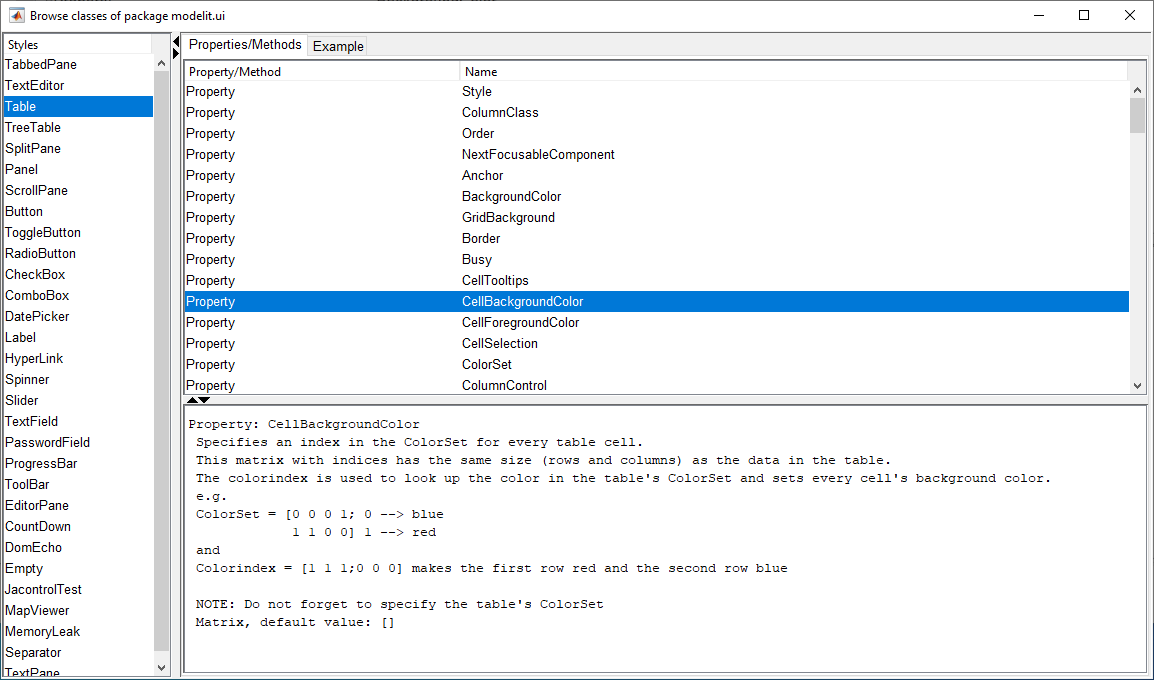
The jacontrol object is self documented. Typing "jacontrol" (without arguments) on the command line opens a help browser with three panels.
The panel "Styles" list all styles that are available for the jacontrol object. Analogous to the Matlab uicontrol object, the specified style determines the appearance and function of the object.
The panel "Properties/Methods" shows the properties that can be set and the the methods that can be used on a jacontrol object with a specific style. Clicking on one of these in the help browser displays the values that can be used for selected properties or methods.
The panel "Example" shows how a jacontrol with the selected style is constructed.
A second source of information is the HTML API. When typing "doc" in the Matlab IDE, this API will be listed under supplemental software / Modelit Embedded Server Toolbox Toolbox
Free version
A fully functional free version can be downloaded from the following link:
Extract the zip file to a new folder and make this the startup folder of your next Matlab session. Use the command "demo_javacomponent" to launch a demonstration GUI. In this version all code except the examples is obfuscated using Matlab pcode.
Commercial version
The difference between the commercial and the free version is that the commercial version contains no p-code. This allows you to inspect every last detail of the code, do small tweaks, and prevents you from running into problems when using the Matlab compiler. When you purchase a commercial license, we will also be able to support you if and when needed.
Read all about Pricing and Ordering
Using the UIC-toolbox in compiled applications
There are no limitations to using the UIC-toolbox in compiled applications.
System requirements
The UIC toolbox is compatible with Matlab R2007b and later. The latest Matlab version it has been verified with is R2023a.
API documentation
The generated documentation for the UIC-toolbox can be found here.